 Store Bounty
01 / Barcode Printing
Preview labels before printing
Check the product details and layout before printing a batch.
See the setup steps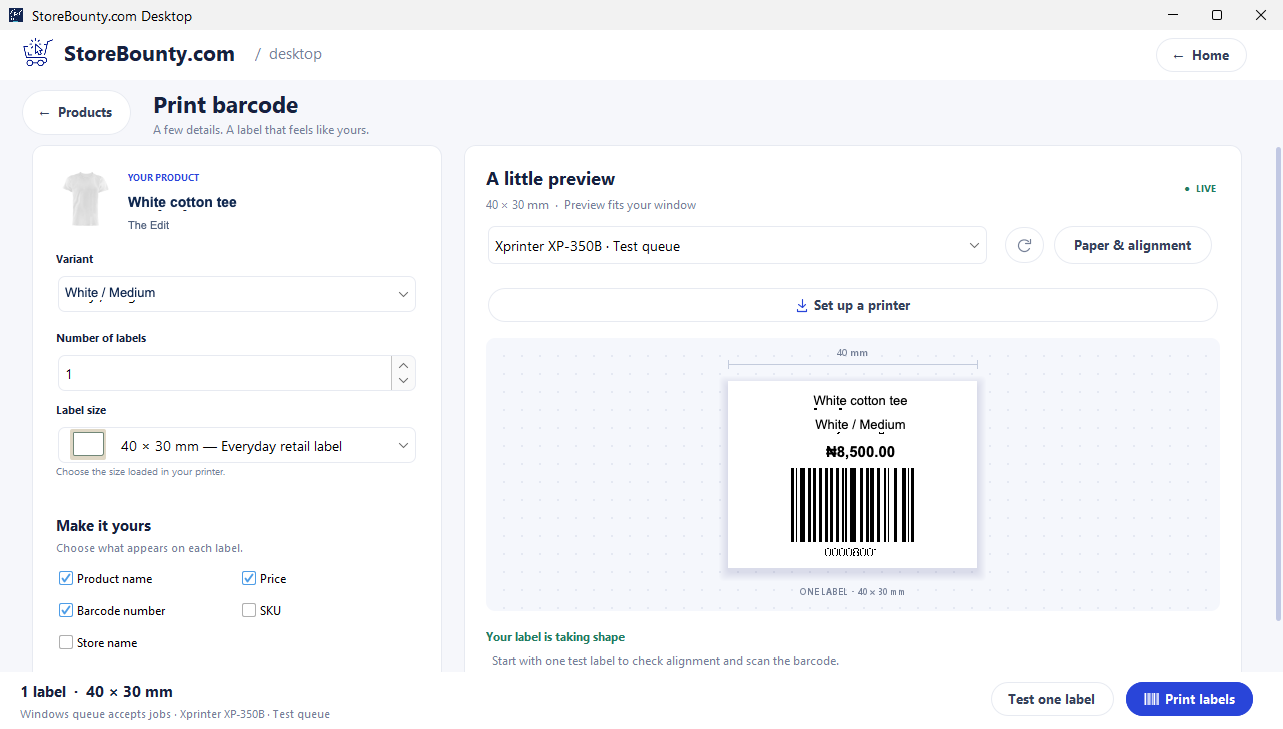
Barcode Printing
Choose your products, preview the labels and print them with a compatible label printer.

01 / Barcode Printing
Check the product details and layout before printing a batch.
See the setup steps02 / Barcode Printing
Scan a product’s label to find its entry in your product list.
See the setup steps03 / Barcode Printing
Print a small test and check alignment and scanning before printing more.
Ask us about setup
No. Printing a label and issuing a globally registered product identifier are different activities. Use the right identifier for the product and your requirements.
Yes. The desktop printing workflow includes label options and a preview before the print action.
Tell us what you sell, how many stores you have and which phones, computers or printers you use. We’ll help you choose a setup.
Keep exploring


